Overview
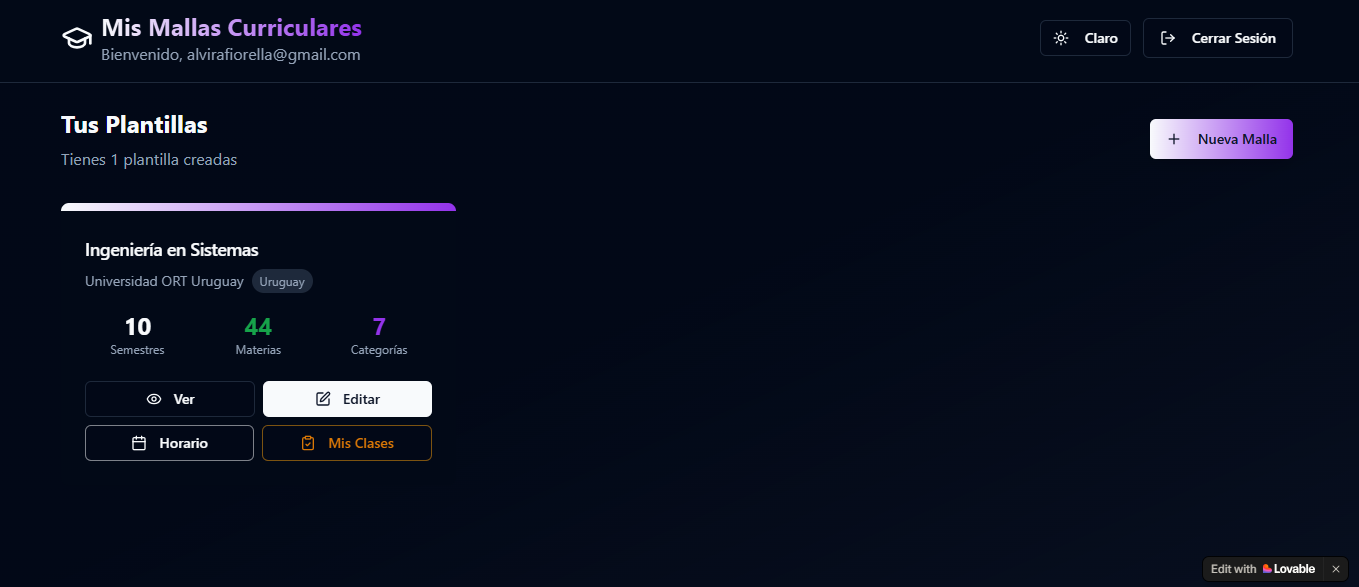
Degree Planner was created to turn a university curriculum into an interactive planning tool instead of a static list of courses.
Students can visualize their degree, mark completed subjects, understand prerequisites, track credits and academic progress, organize their weekly schedule and keep track of attendance throughout the semester.
The system includes a preconfigured Systems Engineering curriculum from Universidad ORT Uruguay as a default example, while still allowing users to create completely new degree structures.
The problem
University study plans often show which courses exist, but they do not clearly communicate how prerequisites affect future semesters or how individual decisions impact progress through a degree.
Students usually need to combine multiple tools to answer simple questions:
- What can I take next?
- Which course is blocking another?
- How much of my degree have I completed?
- What credits are still missing?
- How should I organize my semester?
- Which classes did I miss?
- Which recorded classes do I still need to watch?
My role
I designed and built the application as a personal software project, defining both the product experience and the underlying academic logic.
My work included:
- modelling degree structures
- defining course prerequisite relationships
- creating the curriculum interaction logic
- building progress tracking
- designing semester scheduling
- implementing class attendance tracking
- creating customizable degree templates
- designing the user interface and overall workflow
- PRODUCT DESIGN
- FRONTEND DEVELOPMENT
- DATA MODELLING
- PREREQUISITE LOGIC
- STATE MANAGEMENT
Approach
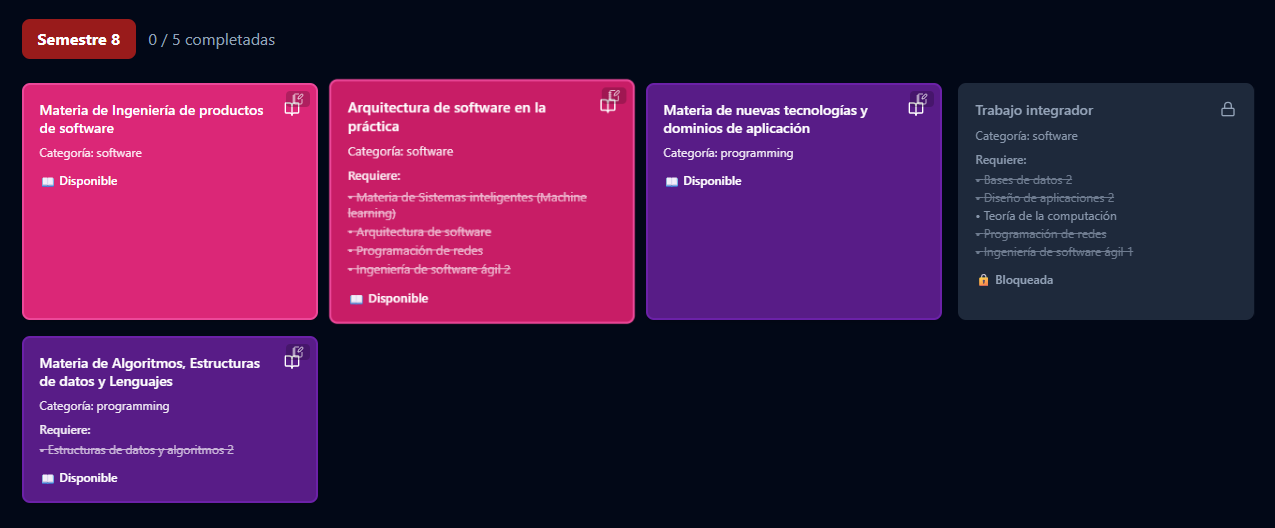
The application treats a degree as a network of relationships rather than a simple list of courses.
Each subject can contain prerequisites that determine whether it is currently available or blocked. When a student marks a course as completed, the system recalculates the state of dependent subjects and updates the curriculum automatically.
The same curriculum data is then reused across other parts of the application, including progress metrics, semester scheduling and class tracking.
- 1COURSE COMPLETED
- 2PREREQUISITES RE-EVALUATED
- 3NEW COURSES UNLOCKED
- 4PROGRESS UPDATED
- 5NEXT SEMESTER OPTIONS
Curriculum & prerequisite logic
Courses are organized by semester and category, but their availability depends on prerequisite relationships rather than their visual position alone.
A course can be:
- completed
- available
- blocked
- pending an exam
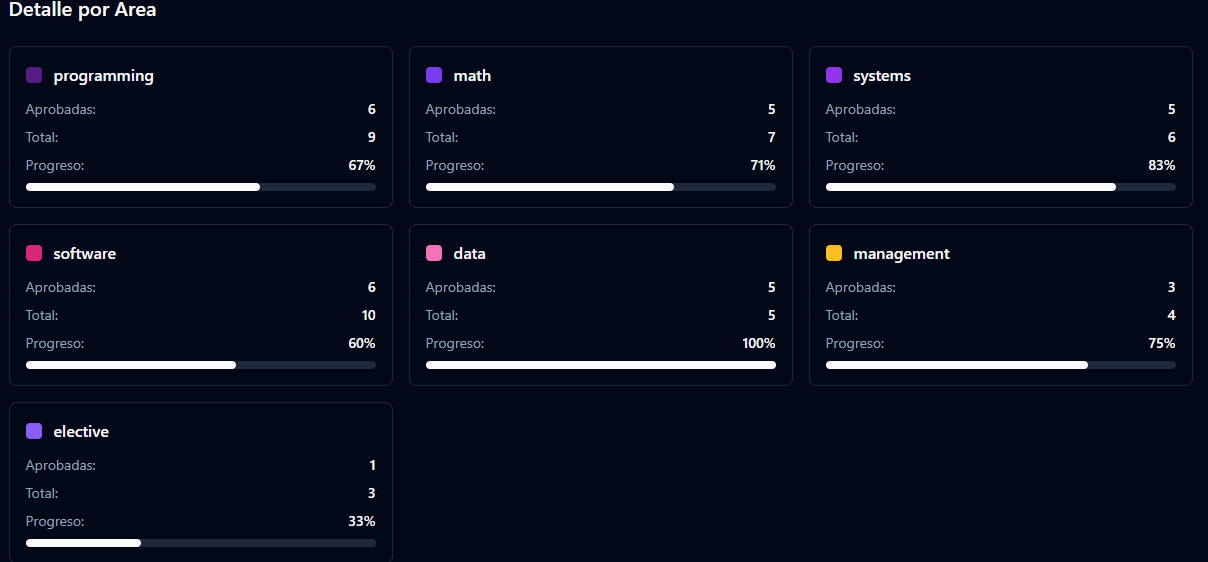
Progress tracking
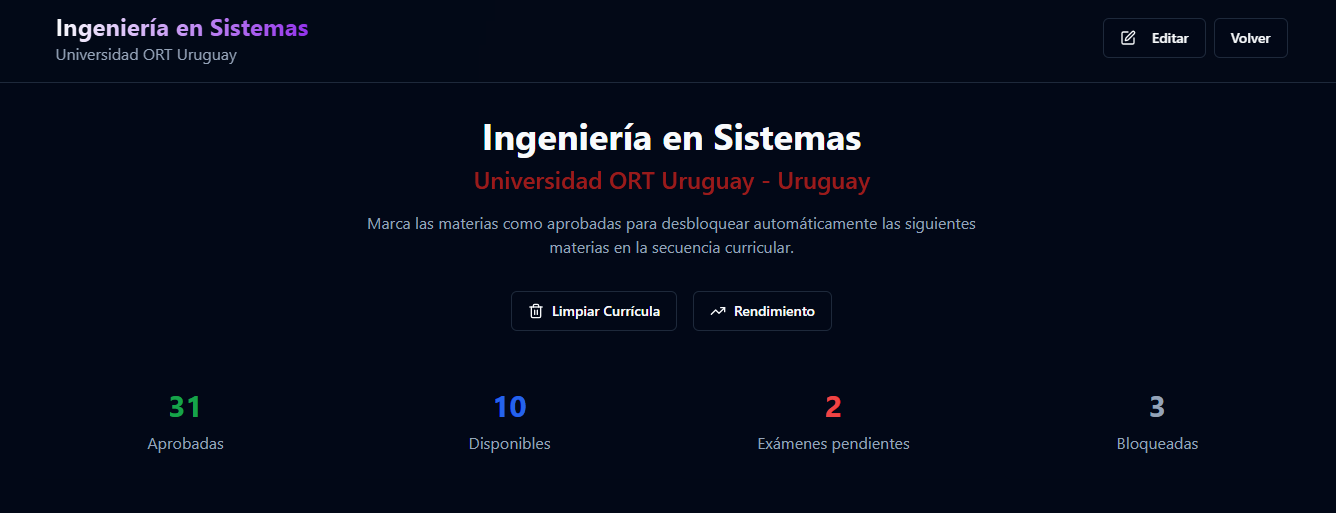
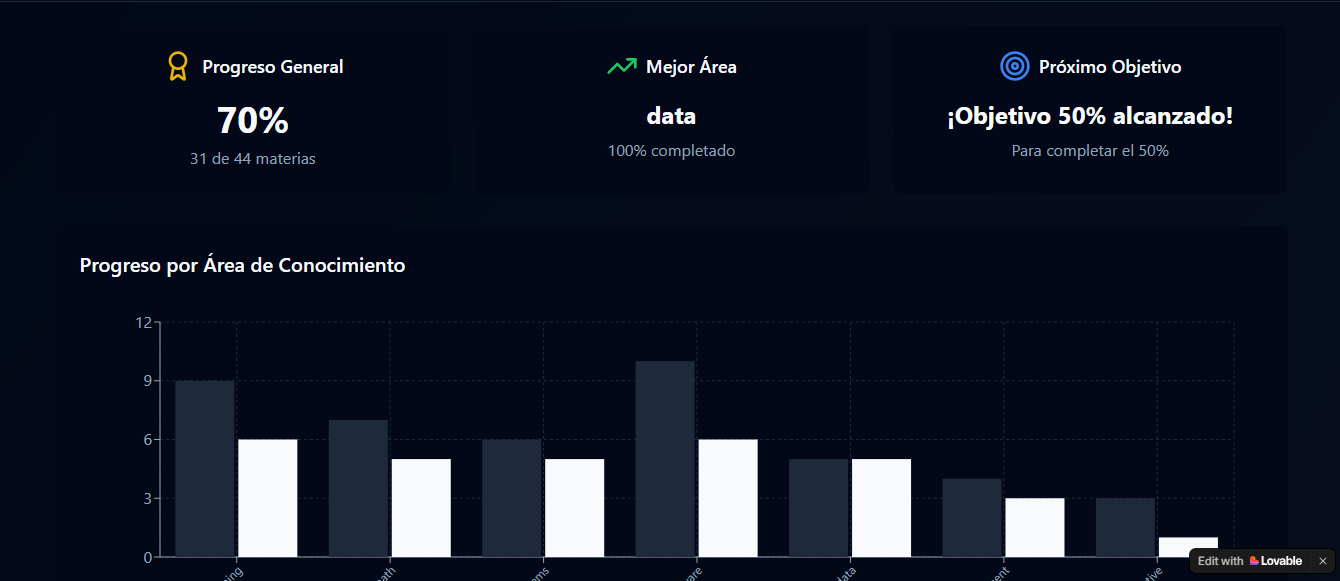
Degree Planner calculates academic progress using the data already stored in the curriculum.
The student can see:
- completed courses
- currently available courses
- pending exams
- blocked courses
- overall completion percentage
- progress by knowledge area
- progress by semester
- strongest academic area
Semester scheduling
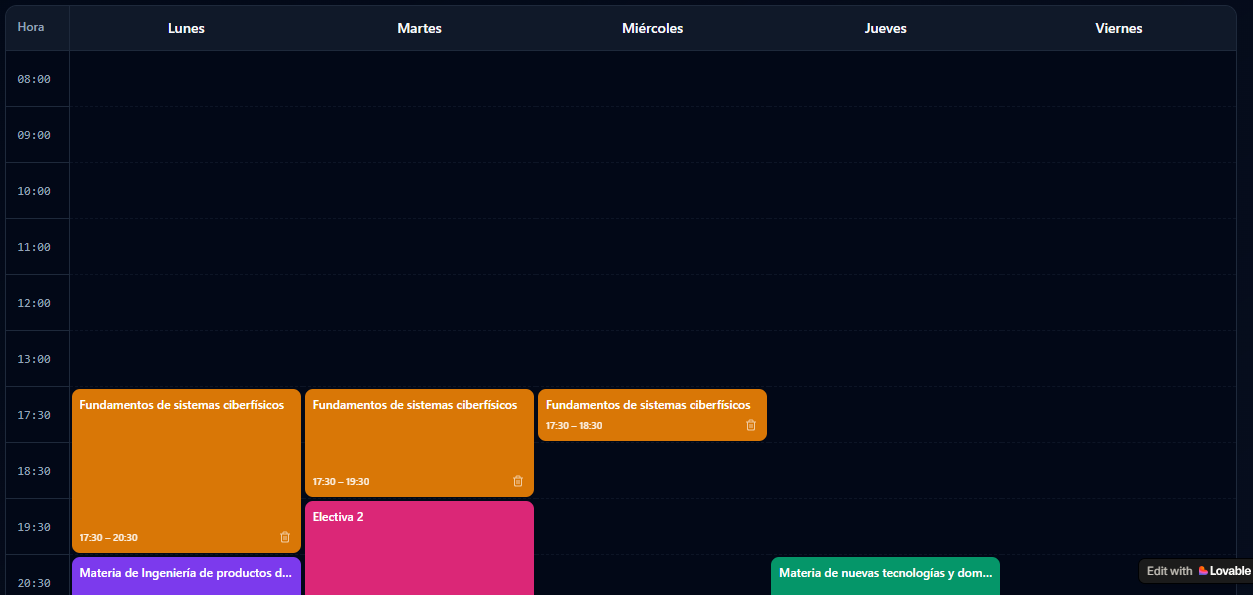
The platform also includes a weekly schedule connected to the student's active courses.
Courses can be organized by day and time, allowing the student to visualize the entire semester in one place.
This creates a direct connection between long-term degree planning and everyday academic organization.
Class tracking
Degree planning does not stop once the semester begins.
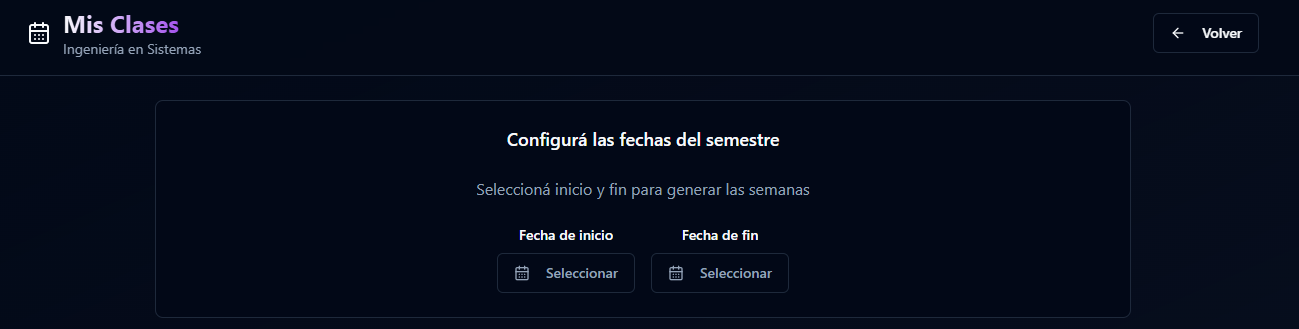
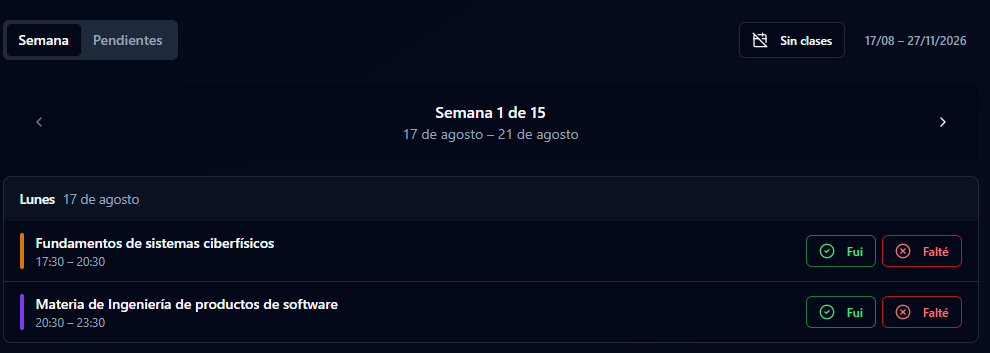
The Mis Clases section allows students to define the semester dates and automatically organize their classes week by week.
For each scheduled class, the student can record whether they attended, missed the class, or still need to watch the recording. This creates a simple personal attendance and catch-up system connected to the semester schedule.

Custom degree builder
Although Systems Engineering at Universidad ORT Uruguay is included as a default template, the platform is not limited to one university or degree.
Users can create a new curriculum and define:
- country
- university
- degree name
- number of semesters
- courses
- categories
- prerequisite relationships
- visual color scheme
Tech stack
Built as a frontend-first application with local persistence.
- Next.js
- React
- Tailwind CSS
- localStorage
Challenges
The main challenge was translating academic prerequisite rules into a system that remained flexible enough to support different degrees.
A prerequisite structure can quickly become complex because one completed course may unlock several others while another subject may depend on multiple previous requirements. The interface also needed to communicate these relationships clearly without forcing the user to manually inspect the entire curriculum.
A second challenge was connecting multiple layers of academic planning - curriculum progress, scheduling and attendance - without turning the application into a traditional administrative dashboard.
Result
The result is a functional academic planning platform that brings together curriculum logic, degree progress, prerequisite evaluation, semester scheduling and attendance tracking.
Instead of treating university planning as a static checklist, the application creates an interactive representation of the student's academic path. The same system can also be adapted to entirely different degree structures.
What I learned
Building Degree Planner required thinking beyond individual screens and modelling the relationships behind the product.
The most valuable part of the project was designing the prerequisite system and making sure the same academic data could support multiple experiences across the application.
It also reinforced the importance of designing software around real user decisions rather than simply displaying information.
Back to the portfolio