Overview
Clinibase is a web-based dental management platform designed to centralize the operational and clinical information of a dental practice.
The system brings together patient management, appointment scheduling, treatment information, clinical records, medical history and user administration inside a single application.
Different users access different workflows depending on their role, allowing administrative staff and dental professionals to work from the same system without sharing the same permissions.
The problem
Dental practices need to coordinate information that is often distributed across different tools, documents and communication channels.
At the same time, administrative staff and dentists do not need the same level of access or the same workflows. Clinibase was designed to centralize that information while separating responsibilities through user roles.
- personal information
- contact information
- medical history
- allergies
- appointments
- treatments
- attendance
- observations
- clinical images
- previous consultations
My role
I designed and built Clinibase as a complete management-system project, defining the application flows, data structure and user experience.
- patient management
- appointment workflows
- role-based access
- user administration
- clinical information structure
- treatment and appointment data
- file and image storage
- authentication
- frontend implementation
- database integration
- FULL-STACK DEVELOPMENT
- DATA MODELLING
- ROLE-BASED ACCESS
- AUTHENTICATION
- PRODUCT DESIGN
- DATABASE INTEGRATION
Role-based workflows
Clinibase separates responsibilities through different user roles. The main system includes administrative and clinical workflows.
ADMINISTRATIVE / SECRETARY — can register new patients, manage patient information, schedule appointments, select the planned treatment, add appointment notes and manage the clinic schedule.
DENTIST — can see the patients scheduled for the day, access patient information, review planned treatments, record attendance, no-shows and rescheduled appointments, access clinical records, review medical information, manage clinical observations and upload relevant clinical images.
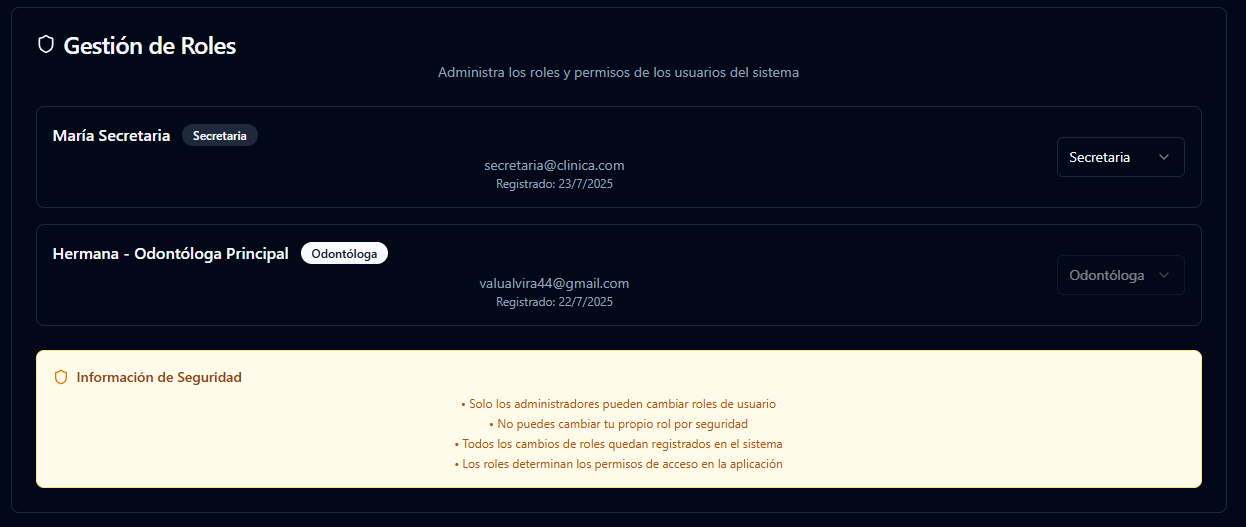
MAIN DENTIST / ADMINISTRATOR — also has administrative permissions to manage users: creating new accounts, assigning roles, managing secretaries and dentists, and controlling access according to responsibilities.
User administration
Authorized users can create new system accounts and assign roles according to each person's responsibilities inside the practice.
This allows Clinibase to support multiple users without giving every account access to the same actions.
Patient management
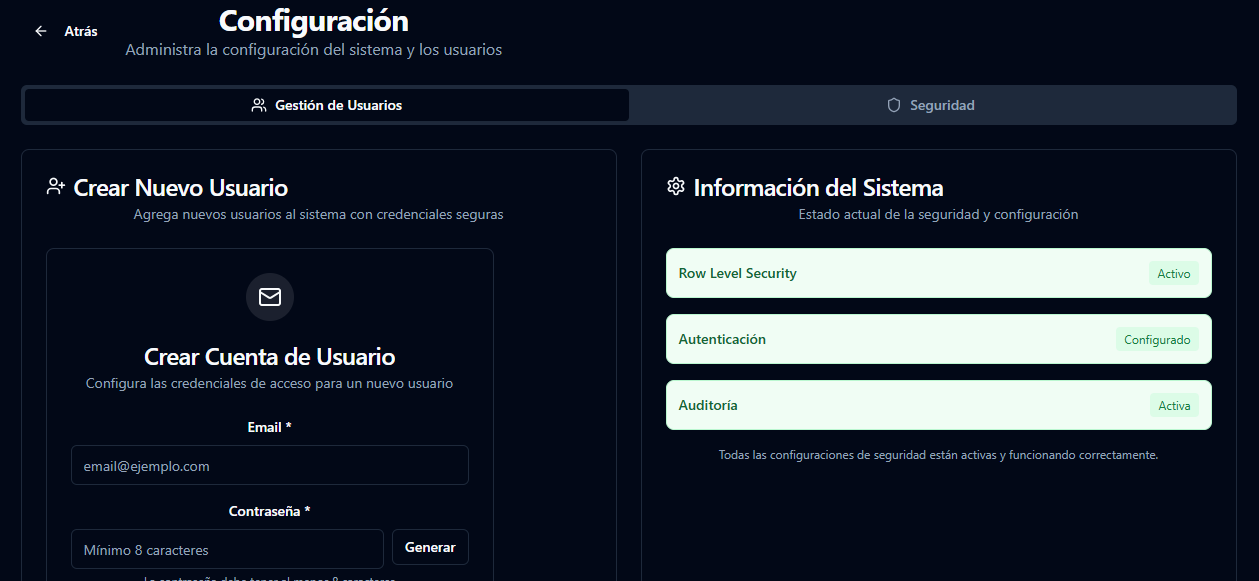
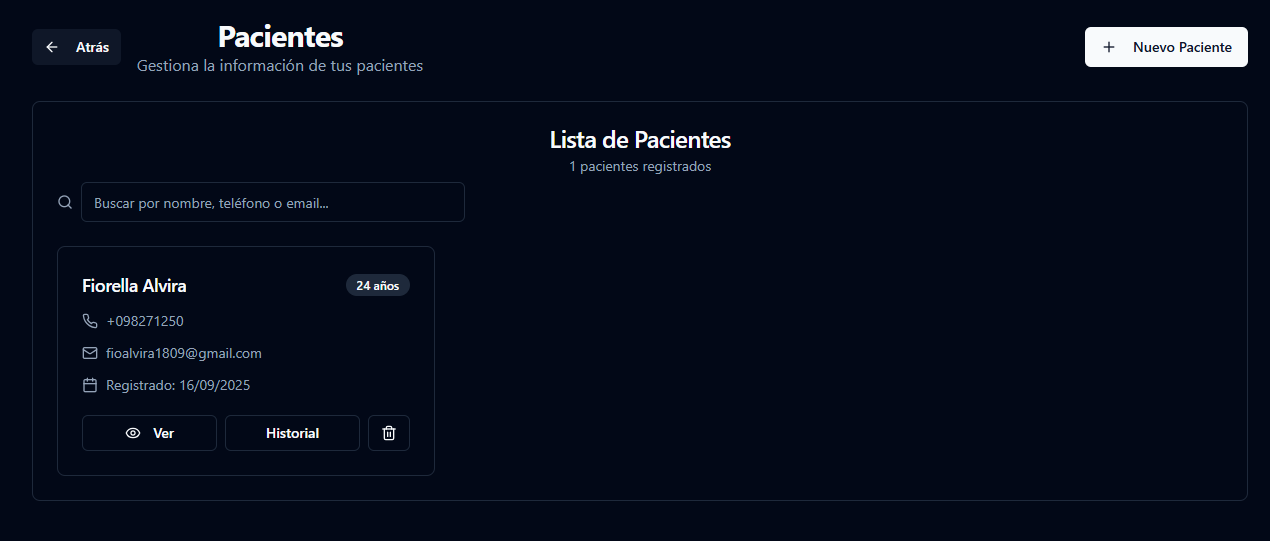
The patient area centralizes the basic information required to manage people inside the clinic.
Administrative users can create new patient records and access existing ones from a searchable patient list.
Each patient record becomes the central point from which appointments, clinical information and history can be accessed.
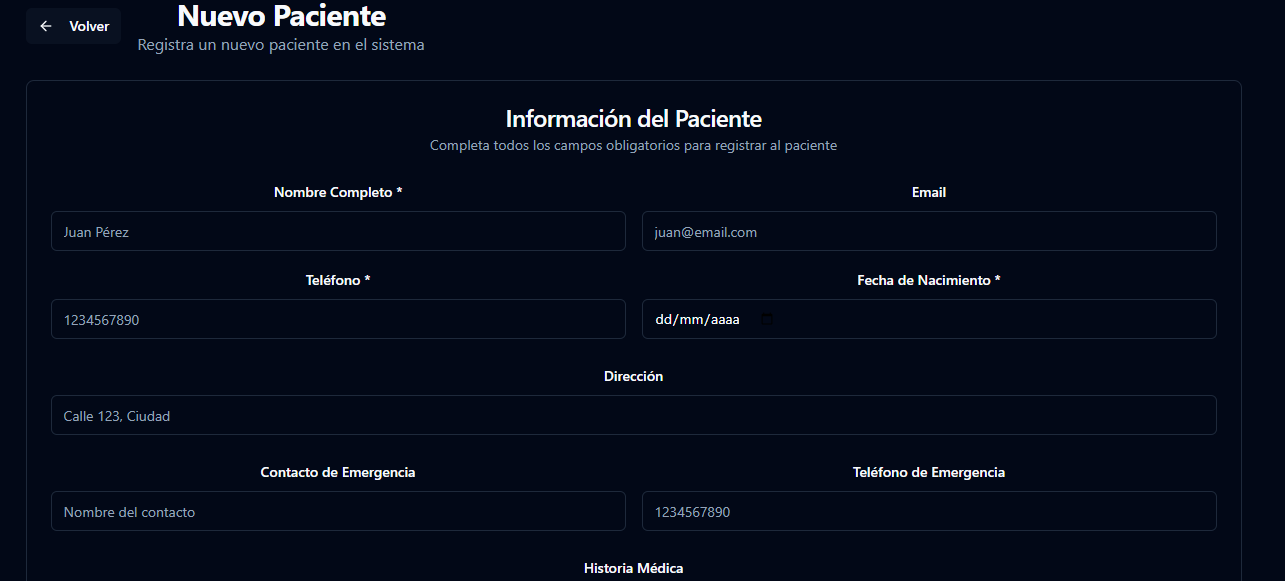
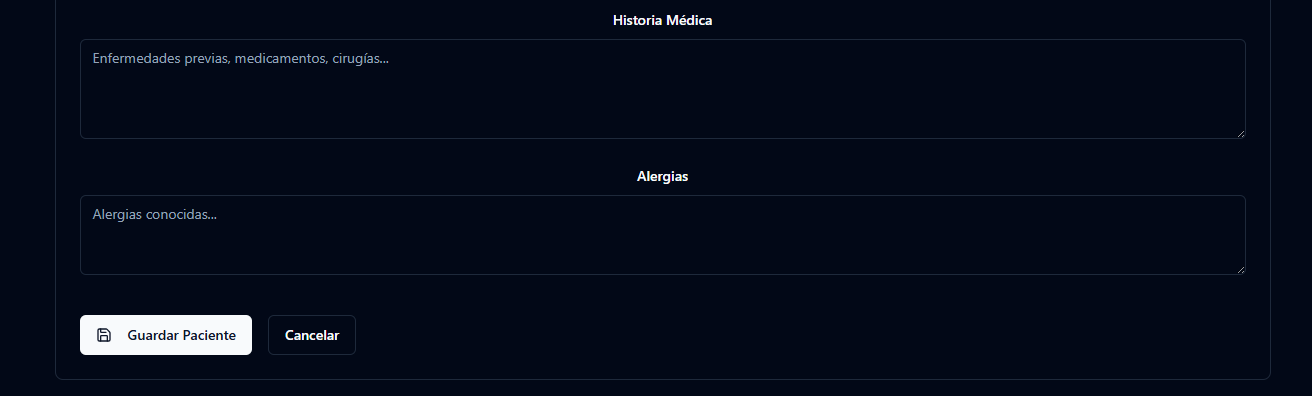
Patient intake
When a new patient is registered, Clinibase collects both administrative and health-related information.
This keeps relevant patient context available in the same system used for appointments and treatment workflows.
- full name
- phone number
- date of birth
- address
- emergency contact
- emergency phone number
- medical history
- known allergies
Centralized patient record
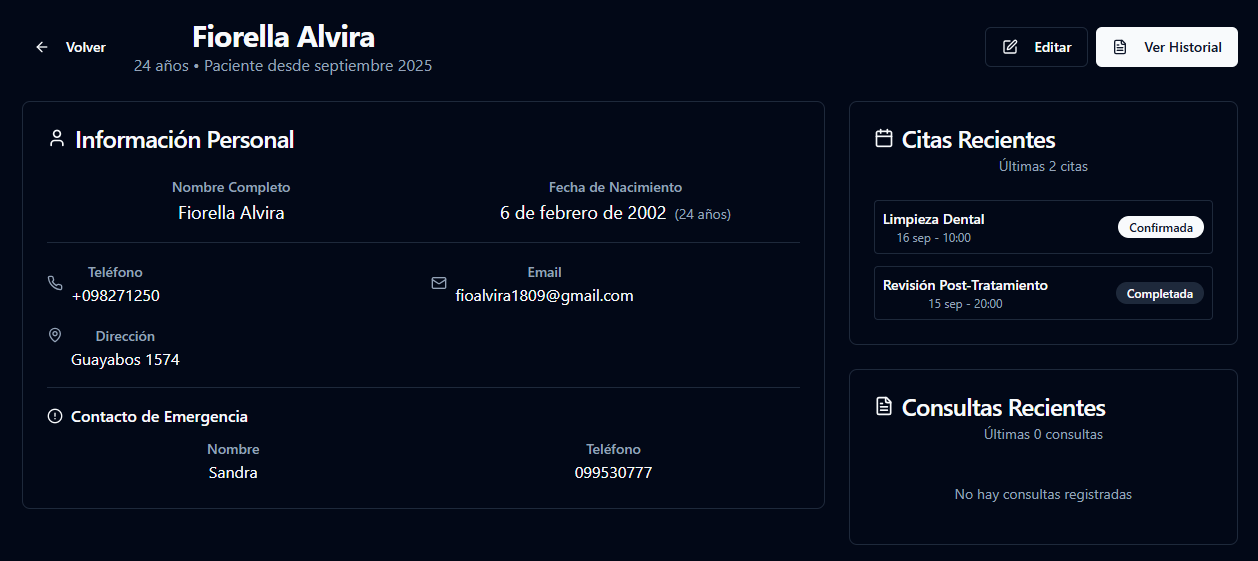
Each patient has an individual profile where their information and recent activity can be reviewed.
The record includes personal information and provides direct access to recent appointments, consultations and clinical history.
This avoids separating patient identity, scheduling and treatment context across different tools.
Appointment management
Appointments connect patients with the clinical workflow. When scheduling a new appointment, users can define the details below.
The appointment then becomes part of the clinic calendar and the dentist's daily workflow.
- patient
- date
- time
- duration
- appointment status
- planned treatment
- additional notes
Daily clinical workflow
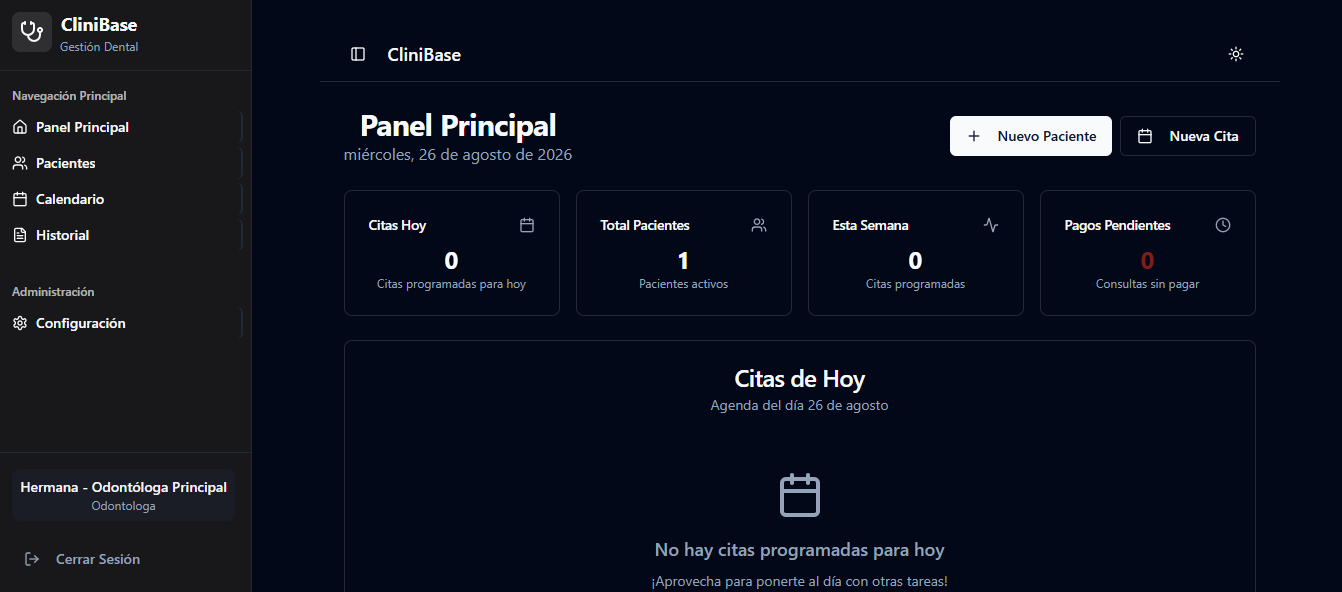
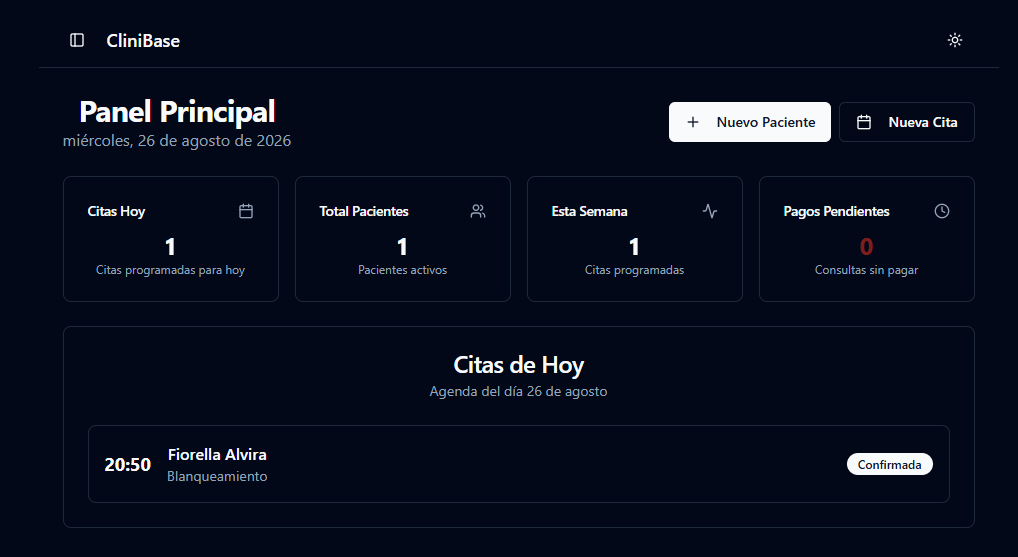
The main dashboard gives the dentist an immediate view of the clinic's activity for the day.
Scheduled patients appear directly in the daily agenda together with their appointment information and treatment context.
This allows the system to represent the real status of each appointment rather than only storing a calendar event.
- ATTENDED
- NO-SHOW
- RESCHEDULED
Clinical records & images
Clinibase is designed to keep clinical material connected to the patient's record.
Dentists can maintain observations and treatment-related information while also storing images such as dental X-rays, radiographs, treatment photographs and other relevant clinical images.
Files are stored through Supabase Storage so that clinical material remains associated with the patient's information instead of being scattered across external folders or messaging applications.
System flow
- 1USER AUTHENTICATION
- 2ROLE & PERMISSIONS
- 3PATIENT MANAGEMENT
- 4APPOINTMENT
- 5DAILY CLINICAL WORKFLOW
- 6PATIENT HISTORY
Tech stack
- React
- Next.js
- Supabase Auth
- Supabase Database
- Supabase Storage
- Tailwind CSS
Access control
Because Clinibase contains different types of information and actions, user access is structured around roles.
The system uses authentication and role-based permissions so that administrative and clinical users interact with the parts of the application relevant to their responsibilities.
Challenges
One of the main challenges was designing workflows for users who share the same system but have very different responsibilities.
Administrative staff need efficient patient and appointment management, while dentists need immediate access to clinical context and the day's scheduled treatments.
Another challenge was structuring patient information so that personal data, medical information, appointments, observations and clinical images could remain connected without making the interface difficult to navigate.
The project also required coordinating authentication, role permissions, database records and file storage inside the same application.
Result
The result is a functional dental management system that centralizes patient information, appointment workflows, user roles and clinical records.
Clinibase supports both the administrative and clinical sides of a dental practice while maintaining a clear separation of responsibilities between users.
The application provides a foundation for managing the patient journey from initial registration through scheduling and clinical follow-up.
What I learned
Clinibase reinforced the importance of designing software around roles and workflows rather than individual screens.
A management system needs to represent how different people interact with the same information while still controlling what each user can access and modify.
The project also strengthened my experience working with authentication, relational data, file storage and interconnected application flows.
Back to the portfolio